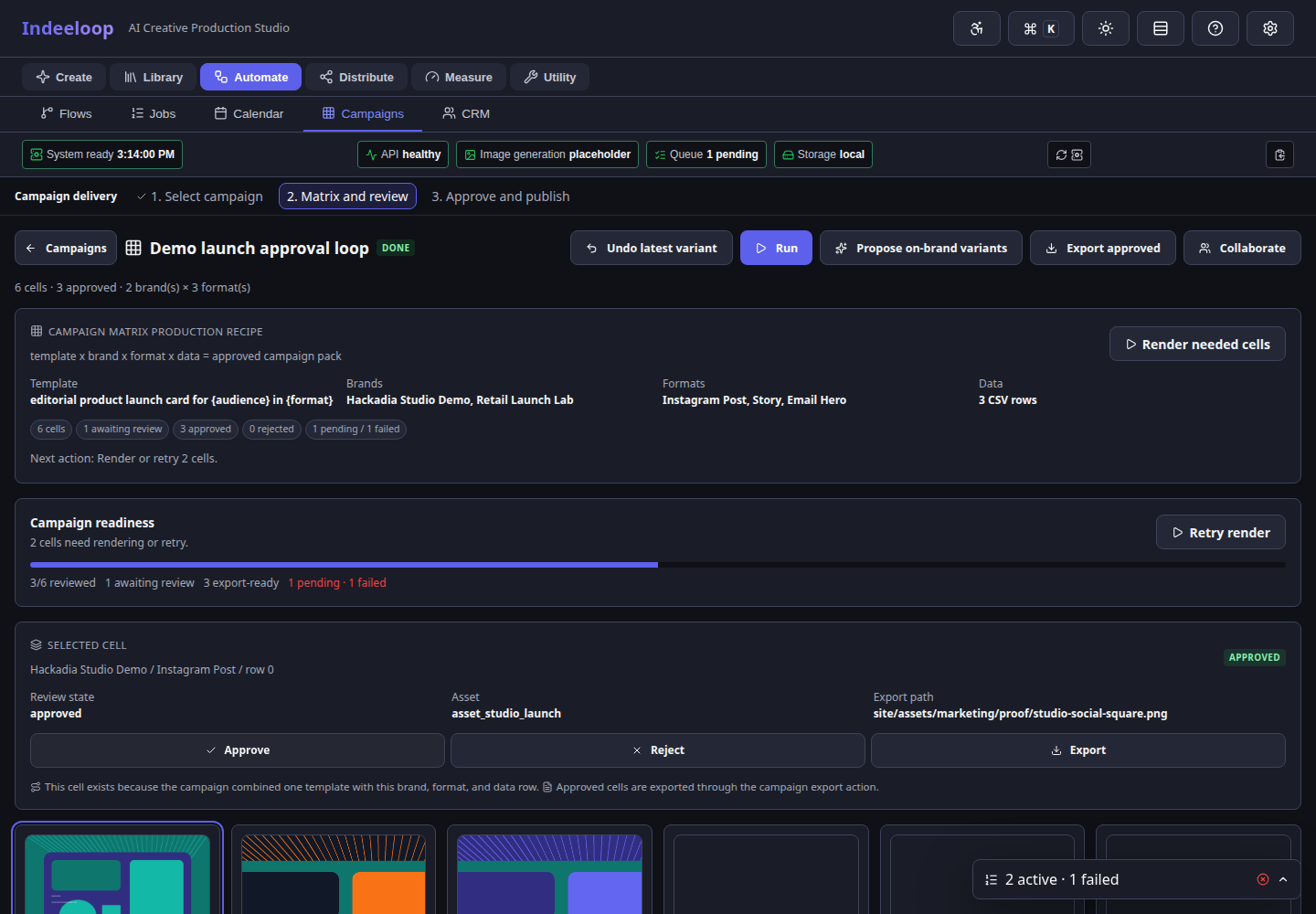
01 / Produce
Campaign Matrix workspace
Each cell can be generated, reviewed, revised, approved, exported, or sent to delivery.
Generate the first strong social asset or creative recipe, then use Campaign Matrix to review, approve, export, and automate every required variant across brands, formats, audiences, locales, products, and data rows.

Campaign Matrix is the scaling layer after AI image generation, Image FX, and Studio refinement. The columns and rows carry real production meaning: channel sizes, client brands, audiences, locales, SKU rows, offer variants, and approval states.
Campaign Matrix gives teams a place to see what exists, what failed, what needs review, what is approved, and what is ready to leave the system.
Use the previous and next buttons, select a chapter, or press the left and right arrow keys to browse.
Each cell can be generated, reviewed, revised, approved, exported, or sent to delivery.
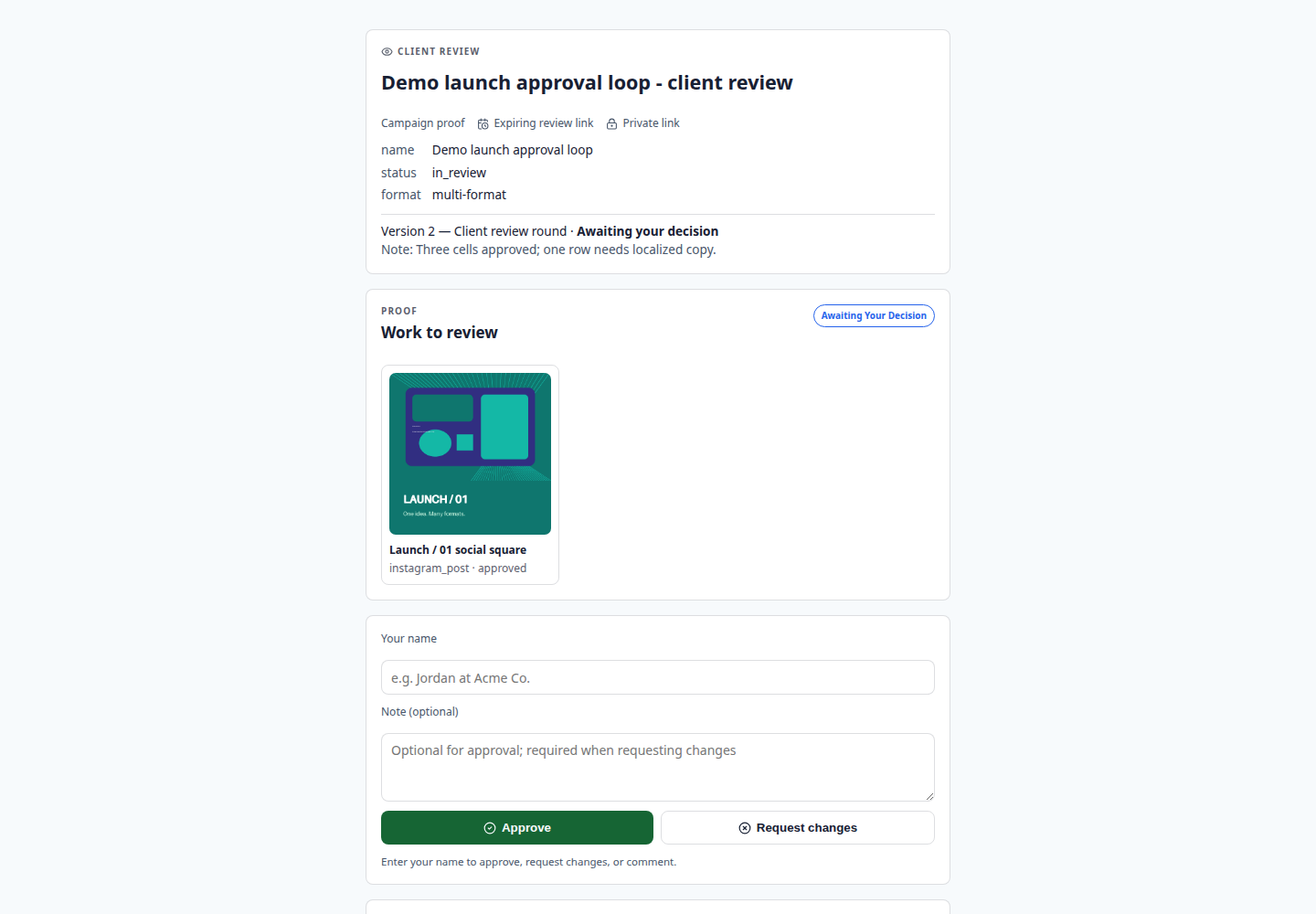
Stakeholders can approve or request changes without entering the full app.
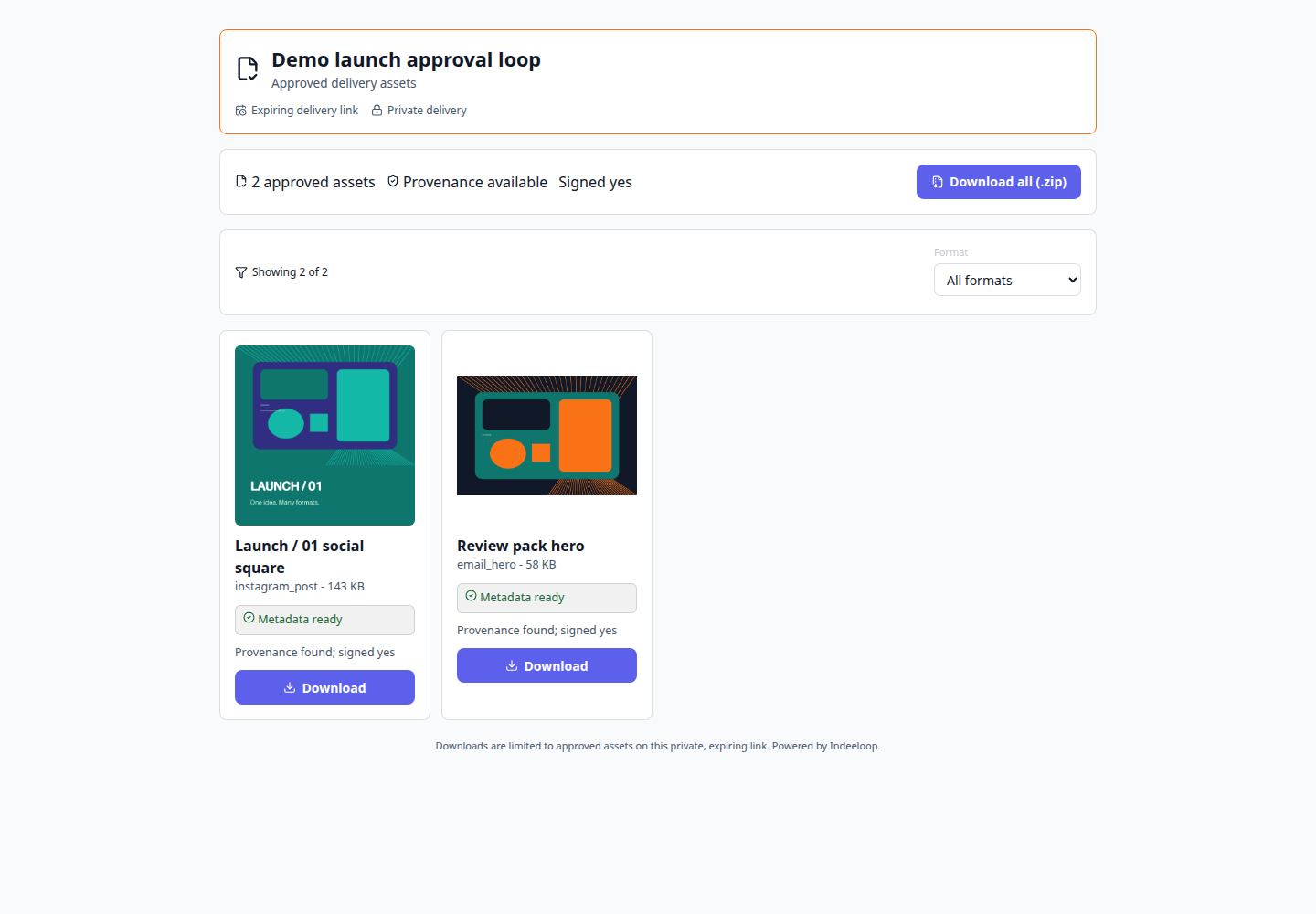
Approved files can move into a controlled handoff surface with metadata and provenance.
Captured seeded product UI. The campaign, review decisions, and delivery metadata shown here are sample data, not customer activity. Open any frame to inspect the full capture.
The matrix sits after creative direction is good enough to repeat and before assets are allowed to ship. It is the control point where AI output becomes campaign production.
Use the UI for daily production, then automate the same durable shape through recipes and APIs when a campaign pattern proves itself.
GET /openapi.jsonInspect the generated local API contract.POST /api/renderRender a reusable template with variables.POST /api/campaign-matrix/{id}/exportPackage approved Campaign Matrix outputs.Campaign teams build and review the grid in the UI. Developers connect the same campaign structure to existing systems through the API once the process is ready to repeat.
Keep campaign assets, review decisions, and exports in an environment your team controls. Move from a single campaign to repeatable production without handing off every iteration to another platform.
Image generation requires a configured model and compatible hardware; the review and production workflow remains visible either way.
Start with a use case, prove the workflow in the UI, then automate the repeatable parts once the team trusts the recipe.