Also: Motion producers
Use cases
What does your team need to ship?
Choose the work you own—creative, brand, campaigns, or technical operations. Each path shows a concrete sequence and the tools behind it.
Find your path
01 / MakeCreative productionTurn a brief or source image into a refined asset.See the designer path →
02 / Keep consistentBrand and client workProtect the identity and manage an approved handoff.See the brand path →
03 / ScaleCampaign productionMake reviewable variants across formats and audiences.See the growth path →
04 / RunBuilders and operatorsAutomate repeatable work in a controlled environment.See the engineering path →
Pick the work you own.
Start with one of four jobs. The more specific roles remain one tap away.
Also: Agencies
Also: Lifecycle teams
Also: Operations · Agent owners
Inside the product
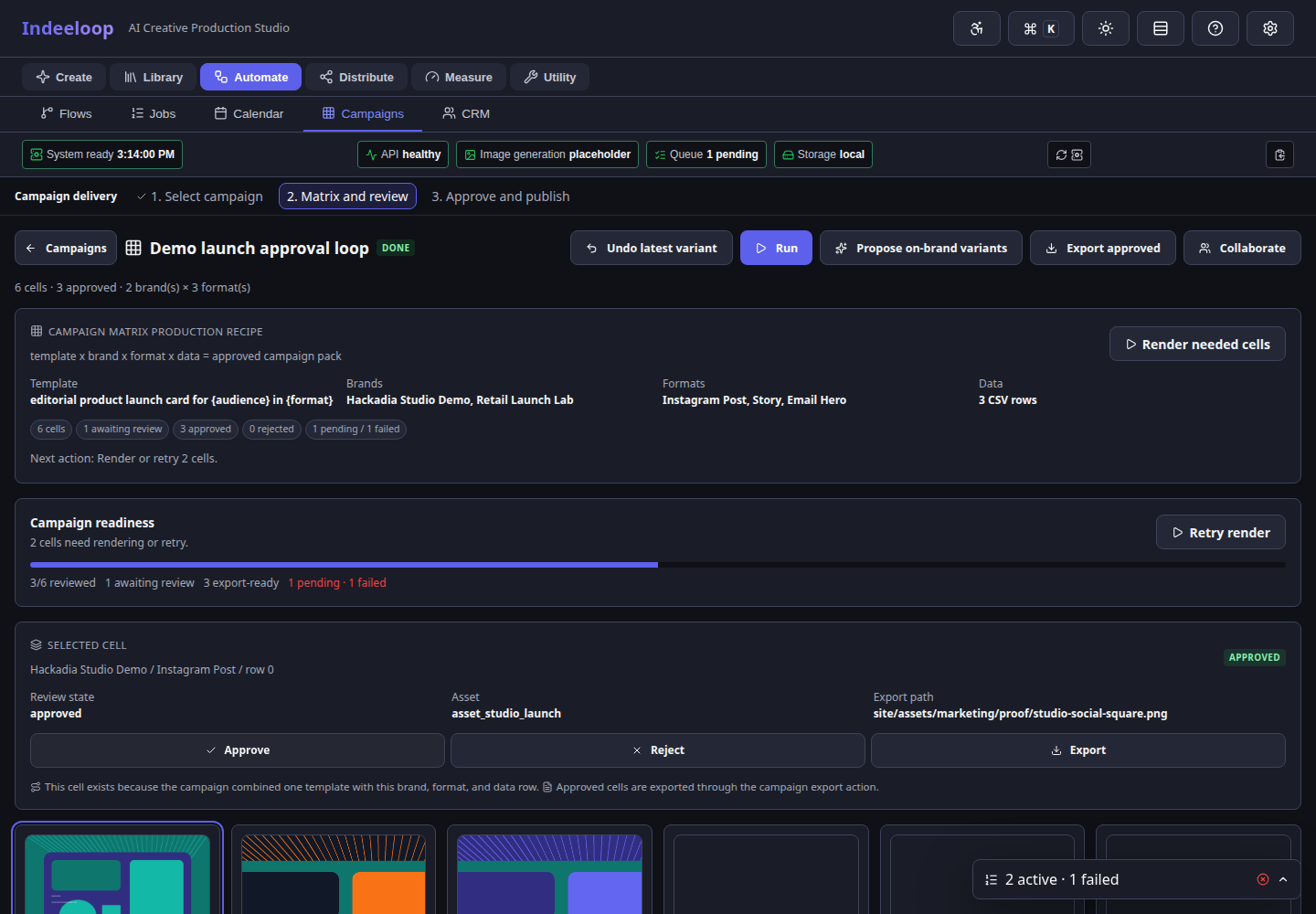 Growth and agency
One campaign structure fans out into format, brand, and audience-specific cells.
Growth and agency
One campaign structure fans out into format, brand, and audience-specific cells.
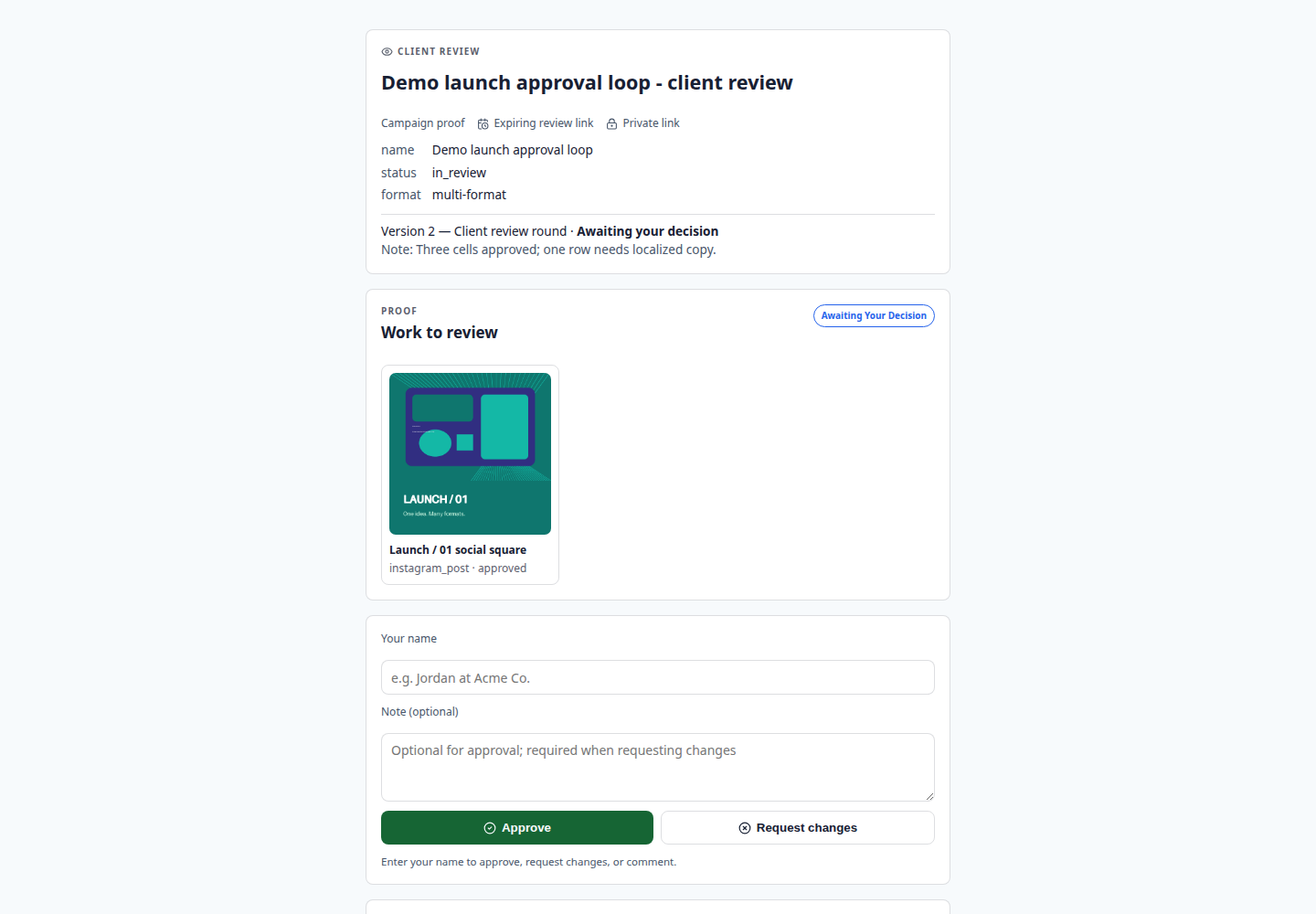 Brand and client review
Approval, comments, and requested changes live beside the campaign state.
Brand and client review
Approval, comments, and requested changes live beside the campaign state.
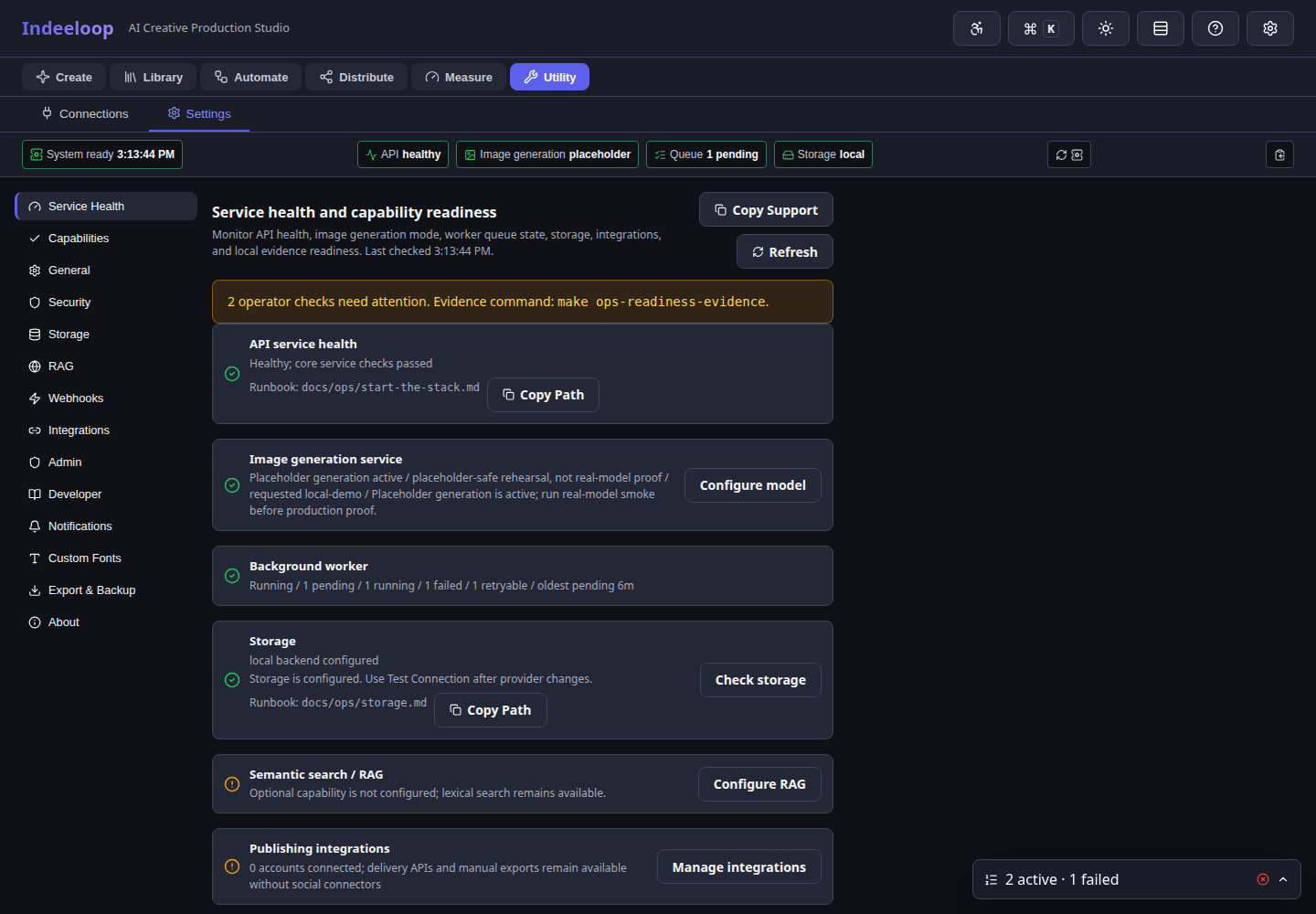 Ops and agent owners
Model, queue, storage, and integration readiness stay visible before automation runs.
Ops and agent owners
Model, queue, storage, and integration readiness stay visible before automation runs.
The handoffs are visible.
Campaign teams inspect variants, stakeholders review a focused link, and operators can see whether models, jobs, storage, and integrations are ready.
Make a visual direction, then refine it
Move from a brief or source image to an editable, reviewed asset without rebuilding it for every format.
- Generate first visual directions from a campaign brief.
- Use img2img, inpainting, upscaling, Looks, and Effects to polish assets.
- Open generated work in Studio for text, crop, layout, layers, and versions.
- Adapt one approved image into channel-ready formats and hand the repeatable pattern to Campaign Matrix.
- Send assets for review, handle requested changes, and export finals.
Turn stills and collections into motion
Start with generated images or an imported collection and make a short clip or interactive presentation.
- Choose ordered frames from Video or a saved collection.
- Set frame timing, animate a still, or transition between images.
- Add timeline movement, audio-reactive visuals, or Layer Motion.
- Preview at draft quality before rendering the final sequence.
- Export GIF, or MP4 when the encoder is available, for review and delivery.
AI campaign automation for growth teams
Growth teams turn offers, audiences, formats, brands, and locales into a repeatable matrix instead of a manual asset scramble.
- Turn one offer into social, email, display, and landing-page variants.
- Use Campaign Matrix to fan out by audience, format, brand, locale, or CSV row.
- Create lifecycle and drip campaign creative tied to personas.
- Schedule approved campaign assets through configured routes.
- Share a tracked shortlink and inspect clicks alongside production status.
Self-hosted creative operations for agencies
Agencies can preserve separate brand systems while reusing the same production recipes across clients and campaign types.
- Manage separate client brands, templates, and imported collections.
- Turn one approved concept into multiformat client packs with Campaign Matrix.
- Share no-login review links with stakeholders.
- Deliver approved bundles through client portals; use shortlinks for trackable destinations.
- Reuse campaign recipes across clients without mixing brand systems.
Marketing engineering workflows for creative APIs
Technical operators can promote proven campaign patterns into YAML, HTTP, Python, jobs, and local agent tools.
- Convert repeatable campaign work into YAML recipes.
- Run batch and multiformat production from CLI scripts.
- Trigger matrix renders, exports, review shares, jobs, and delivery through APIs.
- Build internal tools using HTTP and Python surfaces.
- Let local MCP agents prepare drafts, matrices, or documents.
CRM-driven lifecycle campaign workflows
CRM workflows stay bounded around contact import, persona mapping, lifecycle creative, and reviewable campaign preparation.
- Preview HubSpot or Twenty contact imports before writing records.
- Map contacts into personas and audience groups.
- Generate persona-specific creative.
- Prepare drip and lifecycle campaign variants as reviewable matrix rows.
- Keep CRM intake bounded, reviewable, and campaign-focused.
Brand governance for AI-generated campaign assets
Brand owners review, approve, and preserve the patterns that should survive beyond one prompt or one campaign.
- Maintain brand kits: colors, typography, logos, and format rules.
- Prepare logo candidates with background removal, SVG cleanup, and limited-color outputs.
- Review generated assets for brand consistency.
- Use Gallery as creative memory: metadata, tags, palettes, provenance, and similarity.
- Approve, reject, or request changes.
- Preserve reusable templates and approved creative patterns for future work.
Self-hosted AI operations for admins
Operators need launch paths, service health, storage configuration, backups, logs, and model readiness to be explicit.
- Launch the app locally, full-stack, Docker, or Ubuntu/systemd.
- Monitor API health, image generation, worker queue, storage, and integrations.
- Configure local storage, S3/R2, Drive, and credentials.
- Run backups, restores, logs, and health checks.
- Validate launch readiness before handoff.
Local MCP agent workflows for creative production
MCP support is positioned as a trusted local control surface where agents can prepare work, inspect state, and hand back reviewable outputs.
- Expose a trusted local MCP tool surface.
- Let agents inspect formats, brands, looks, effects, and model status.
- Have agents generate options or prepare editable documents.
- Run campaign matrices through bounded tools.
- Keep final approval and publishing human-controlled.
Start with one real piece of work.
Bring a brief, an image collection, or a client brand. Make a first asset, then choose the production, review, and delivery steps you need.