Workflow

How visual work moves from idea to delivery.

Start from a brief or an imported collection. Create images or logos, refine them in Image FX and Studio, then choose the next path: animate a clip, build campaign variants, or share a single approved asset. Review and delivery stay connected to the work.

Abstract clay campaign workflow loop from brief through generation, review, delivery, and iteration.

Inputs

Campaign brief Offer, audience, channel goals, launch date, and acceptance criteria.
Brand system Approved colors, type, logos, formats, tone, and review rules.
Source material Prompts, image or PDF collections, audio, CRM personas, CSV rows, and copy variants.

Production loop

The iterative production loop starts with a useful visual direction. Refine it, then animate it, make campaign variants, or prepare a direct handoff. Review can send an asset back to Studio without discarding the rest of the work.

1. GenerateAI image generation, image-to-image, inpainting, variants, model status, seeds, and format-aware outputs.
2. RefineImage FX processing, masks, effects, upscaling, OCR-aware utilities, palettes, text, crop, layers, and versions.
3. SystemizeTemplates as Code, variables, conditions, brand tokens, format rules, and CSV data.
4. MatrixCampaign Matrix renders reviewable cells across brands, channels, rows, audiences, and locales so production decisions happen in one grid.
Motion pathVideo turns frames, images, layers, or audio into GIF/MP4 clips; Layer Motion can make interactive presentations.
Motion, campaign production, and direct delivery are choices after creation—not mandatory steps in one funnel.

Launch outputs

Review and approve Compare cells, comment, request changes, approve assets, and create review links.
Deliver the approved set Export files or bundles, delivery portals, tracked shortlinks, scheduled posts, configured publishing, and webhooks.
Keep receipts Gallery records, click analytics, provenance, job history, storage state, and service health remain visible.
One connected example

Follow one seeded launch artwork.

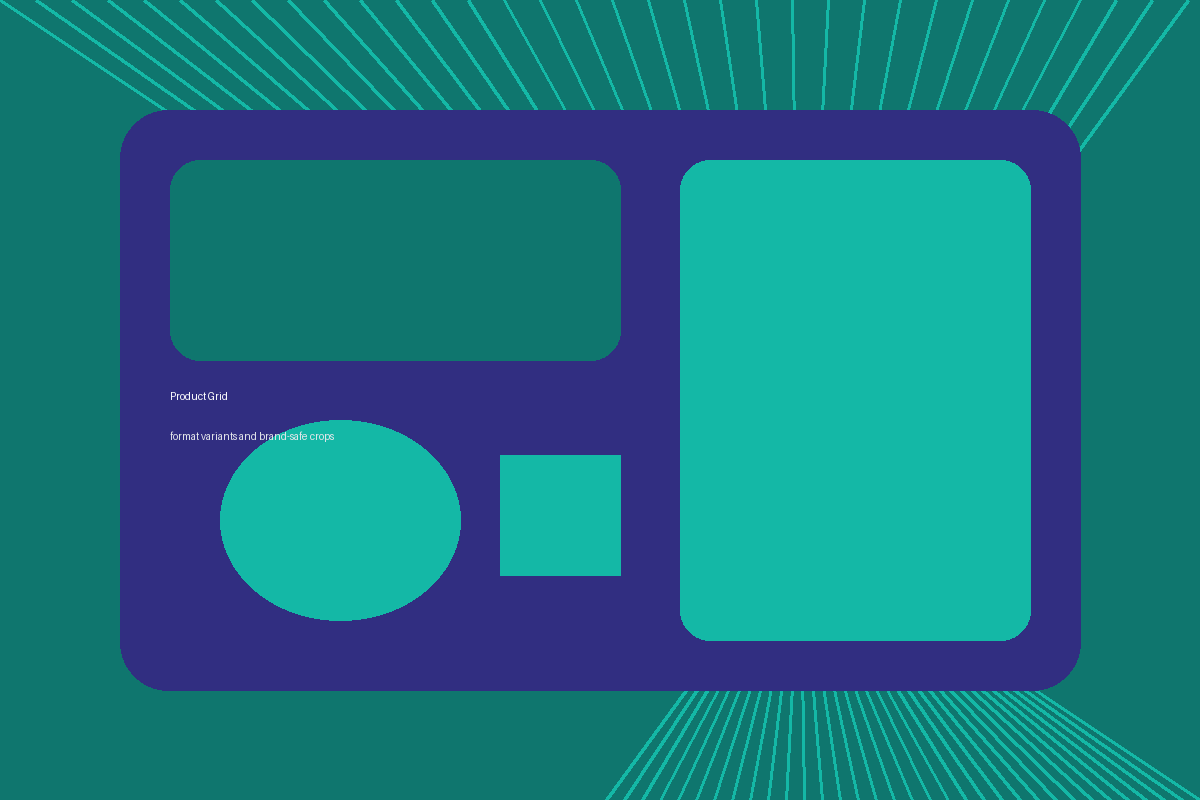
A procedural source becomes a layered Studio square, then a short MP4 made from that source and render. These first three artifacts were produced by Indeeloop's offline processors and can be opened here.

01 / Seeded inputProcedural teal and indigo launch source graphic

Start with artwork

The source is a deterministic local demo image, not an AI-model result.
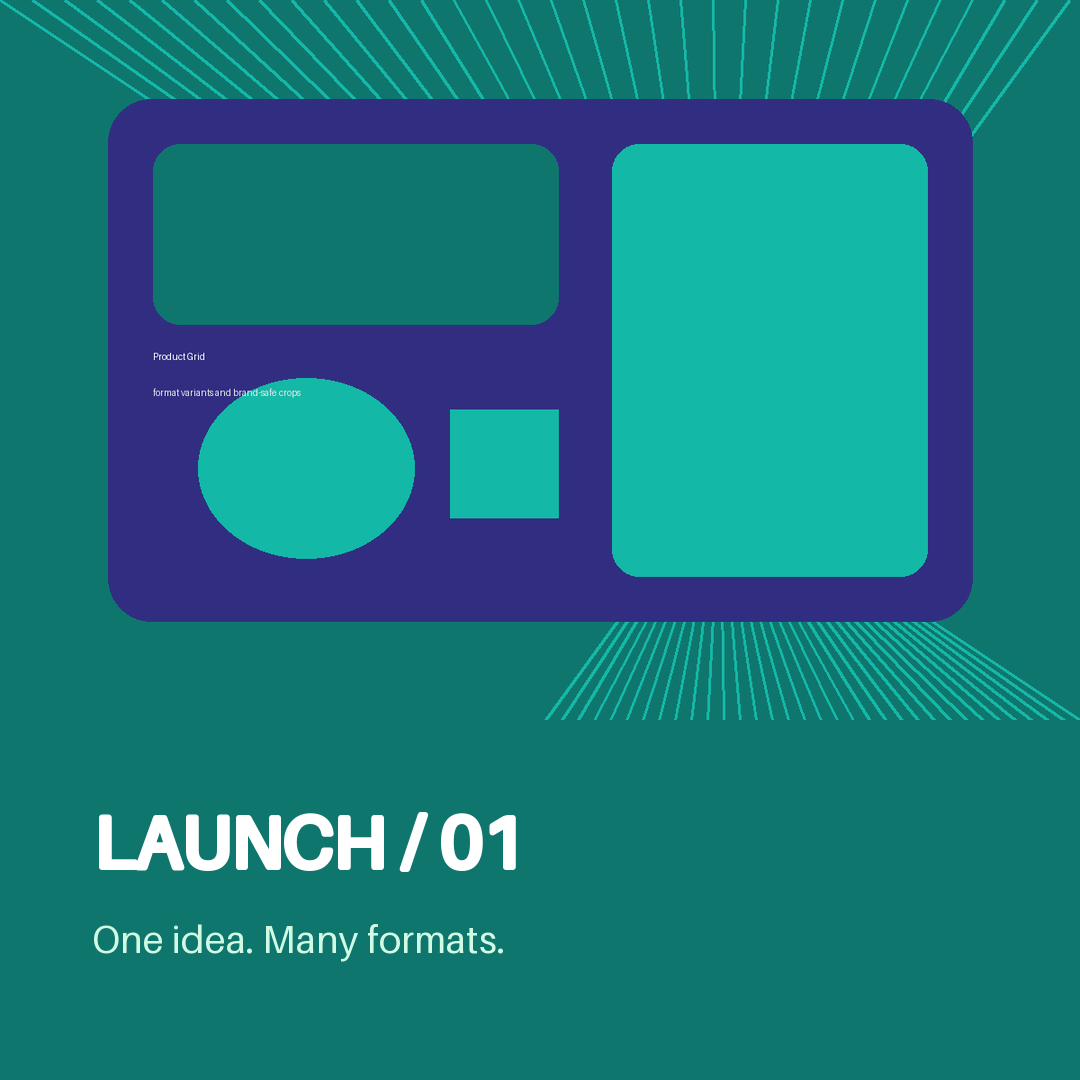
02 / Studio renderLaunch social square composed from the seeded raster, shape, and text layers

Compose the square

Studio adds a brand-color panel and text layers, then exports this PNG.

03 / Motion render

Make it move

The motion engine zooms, crossfades, and pans between the source and Studio output. This is not text-to-video.

Sample interface, not a client job

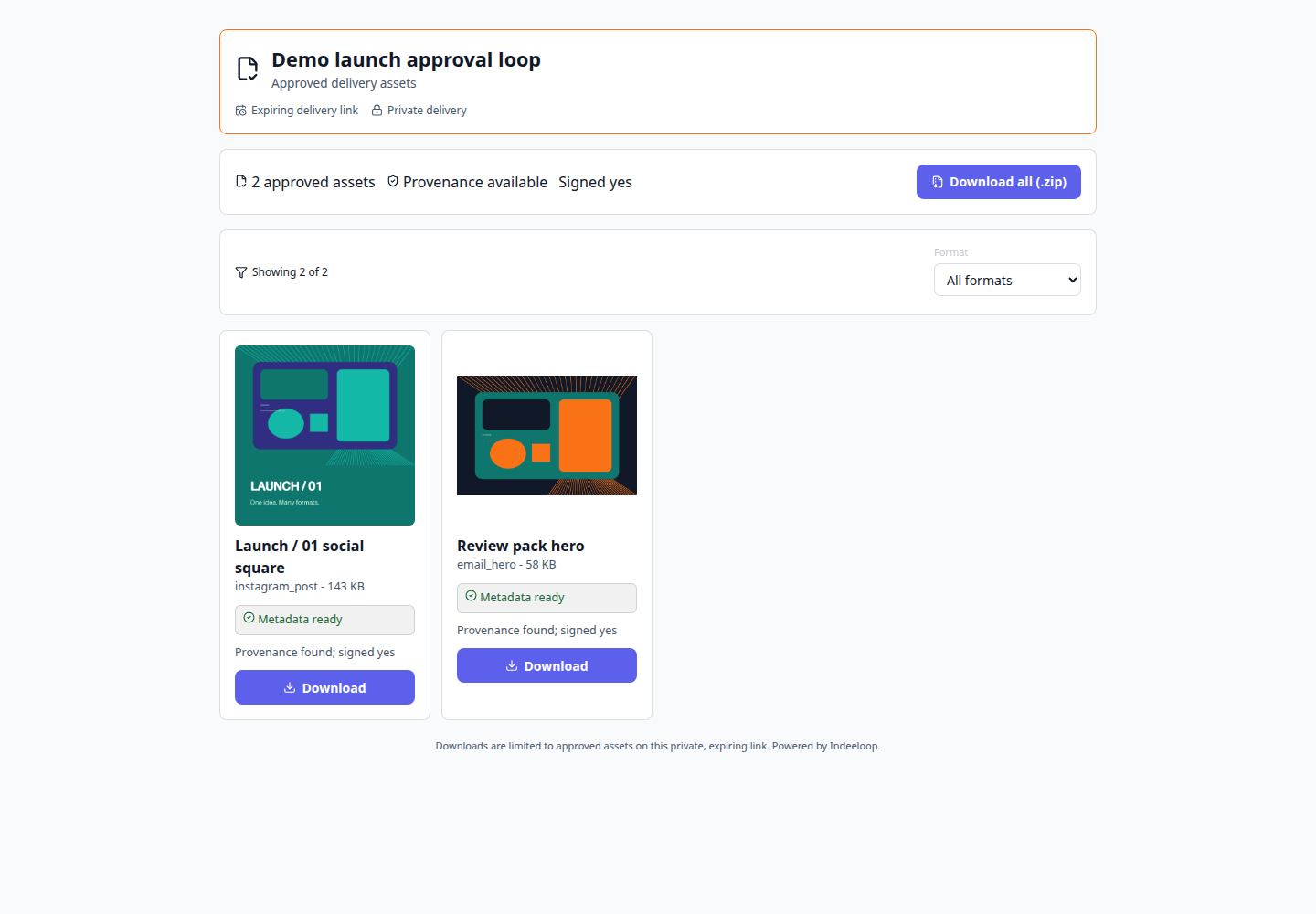
See where that Studio square would be reviewed and delivered.

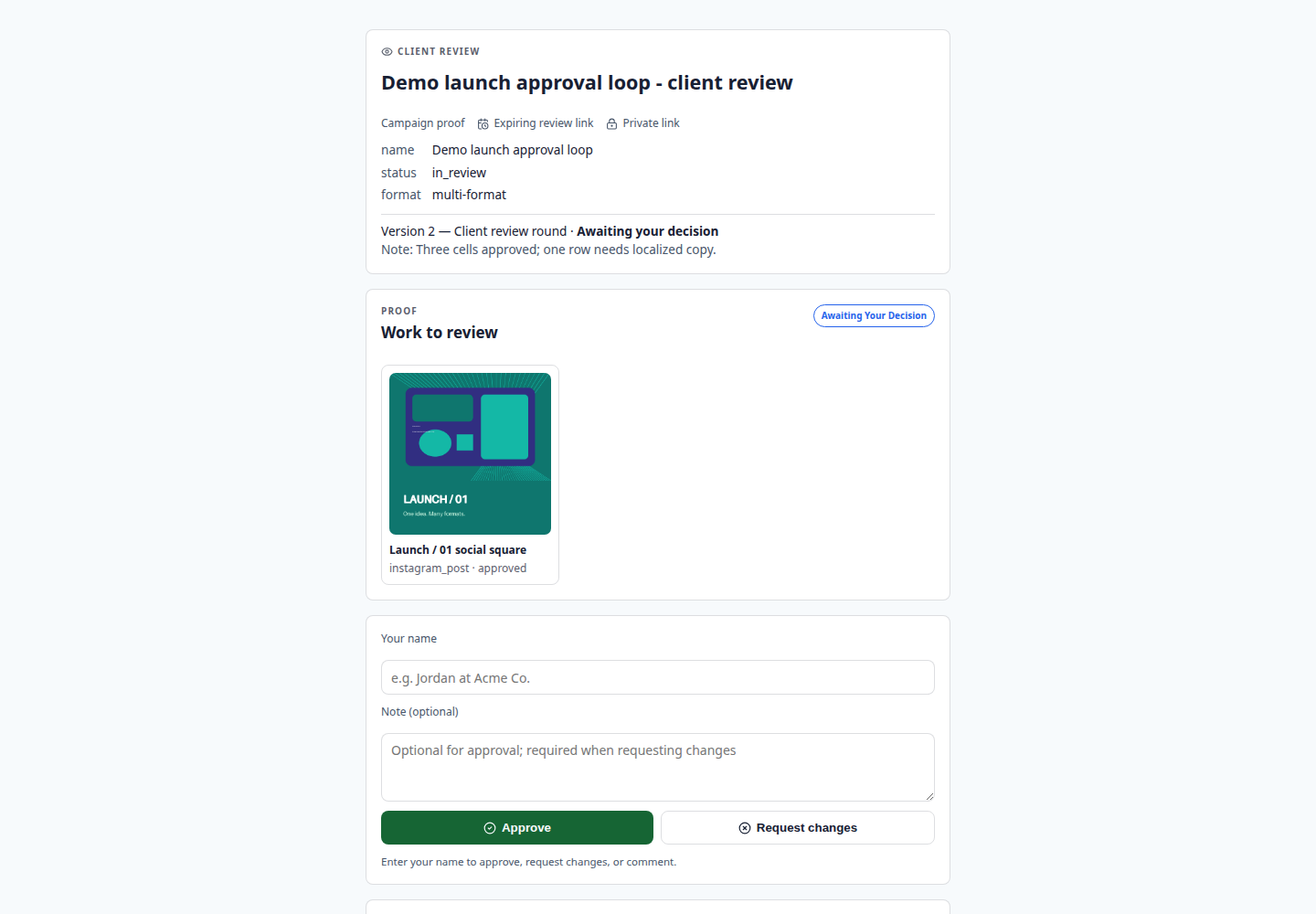
The same PNG appears in sample Matrix, review, and portal screens. Approvals, comments, readiness, and provenance badges are illustrative data—not client decisions or verified release evidence.
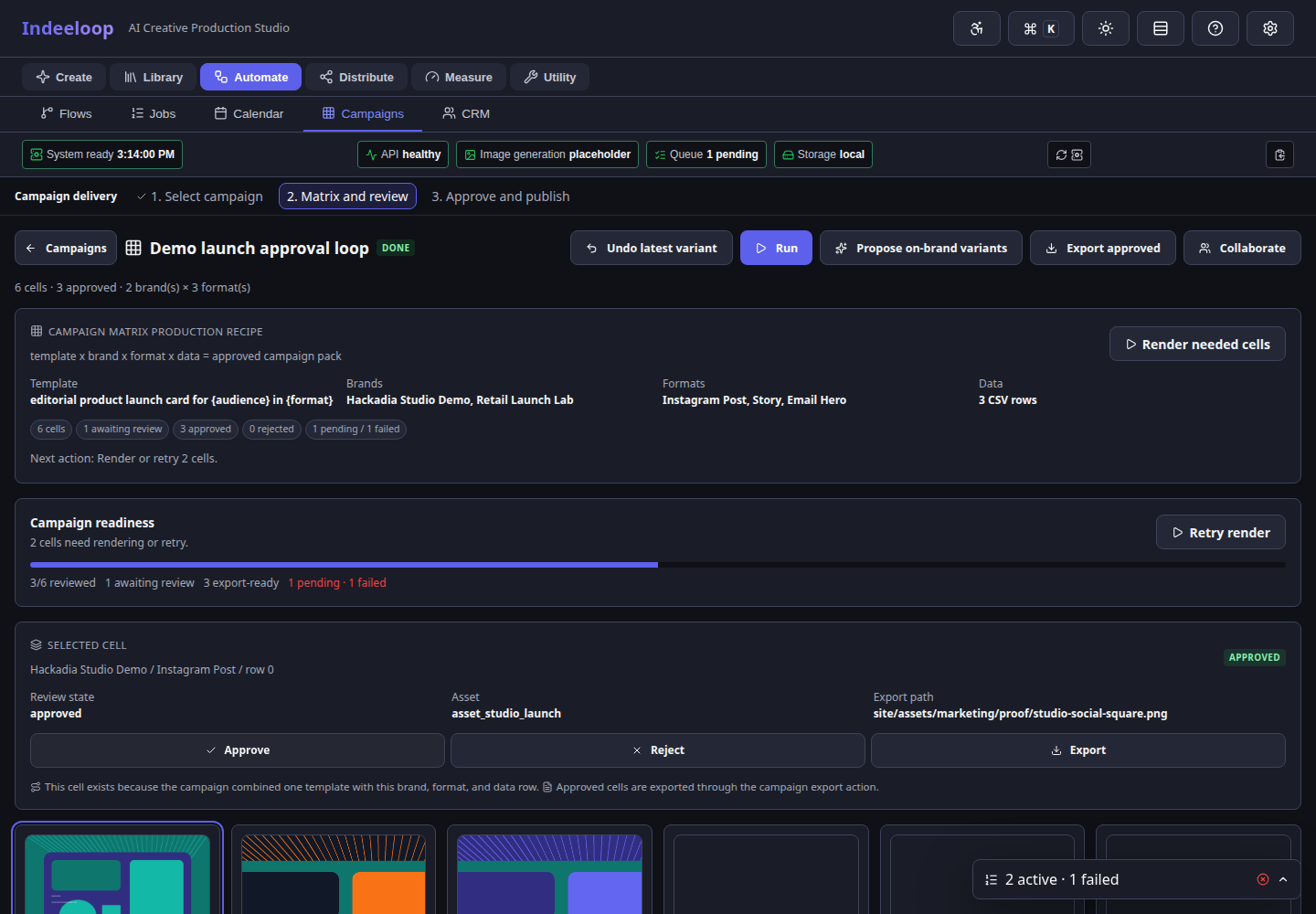
Seeded Campaign Matrix UI showing the launch square beside illustrative cell statuses
04 / Sample Matrix state The launch square appears as a fixture cell beside other variants and statuses.
Seeded review UI previewing the same Studio square with illustrative comments and approval controls
05 / Sample review state The same square is previewed on a public review screen; comments and approvals are seeded.
Seeded delivery portal UI previewing the same Studio square with illustrative readiness and provenance badges
06 / Sample portal state The same square is previewed for delivery; readiness and provenance signals are seeded.

Workflow design and execution stages

Each stage has a clear owner, output, and control surface. This is what makes the work usable by creative teams, repeatable by engineers, and prepare-able by approved local agents.

Design Model the repeatable work Flows, YAML recipes, templates, variables, brand tokens, formats, and CSV inputs turn a good campaign path into a reusable system.
Execute Run work through visible jobs Generation, matrix fanout, batch render, export, and configured scheduled publishing can move through observable app and job surfaces.
Review Keep people in the approval loop Review links, per-cell statuses, comments, redo actions, and portals make acceptance explicit before delivery.
Operate Know what is configured Service Health, model status, storage readiness, backups, and logs show whether the environment can carry the work.

Make the loop repeatable.

Start with a visual campaign, then promote the repeatable parts into templates, scripts, APIs, or local agent tools when the workflow proves itself.